The in-world calendar
The calendar keeps your campaign's time, and shops and effects run on it. Advance a day and a shop's shelves can refill, or a long-running effect can end, with nothing tracked by hand.
A calendar you own
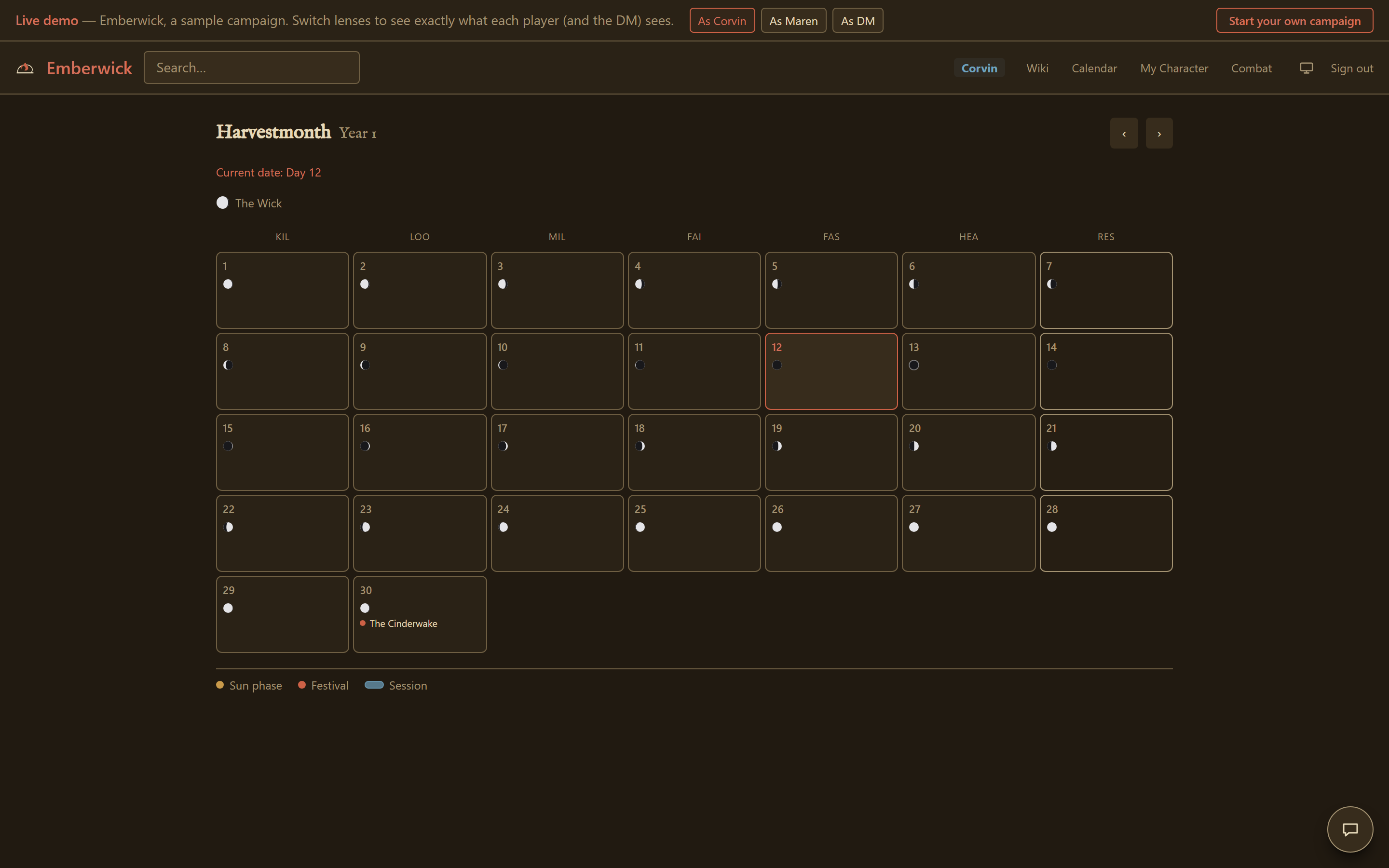
A fresh campaign starts on a plain Earth calendar: the twelve familiar months and a 365-day year, a seven-day week, twenty-four-hour days, one sun and one moon. It is there so the system makes sense from the first day, and all of it is yours to change: the month names and lengths, the week, the hours in a day, and your own moons and suns. None of it is hardcoded to any one setting. A moon-phase icon shows for every day on the month view.
Events, and who sees them
You can pin an event to any date, and it does not have to be a festival. It might be a festival that recurs every year on a fixed date, or one tied to a moon reaching a phase; it might be a one-off happening, a plot beat you are setting up, or a marker for a session you ran. Each event is either shown to the whole table or kept to yourself: a public event sits on the shared calendar for everyone, while a DM-only one stays on your side until you choose to reveal it. There is no held-back state in between, and no way to show an event to one player and not the rest, the way a wiki block can be addressed to a single player.
What it drives
Shops key their restocking off the same in-game day count the calendar shows. Enough days pass since a shop's last restock, and its shelves and gold top back up the next time anyone reads or trades with it, whether those days passed through ordinary play or a deliberate jump forward. Time-based effects end on their own when the time comes: a round-long effect during the fight, a rest-long one when you take that rest, and anything lasting a day or more as the days go by. Nothing there is tracked or cleared by hand.
What players see
Players can open the calendar too. They see the public events, the moon phases, the current date, and the sessions you have logged. DM-only events, and any detail you have chosen not to show the party yet, stay on your side.
The calendar screenshot in How it works is captured live from the same demo world referenced throughout these guides.