Your character: builder and sheet
This guide walks you through building your first character in Hearthmoot and what the sheet does for you once you are playing it. If you have not joined a game yet, start with the player quickstart; this picks up once you are signed in.
Getting in
Your DM gives you the campaign's address, plus a name and a passcode for your seat. Open the address and sign in with exactly that name and passcode. There is no account to create and no email address to hand over.
The creation wizard
A guided wizard builds your character one step at a time, and it only shows you the steps that actually apply to your build. A level-1 Fighter never sees a Spells tab, for instance. The order you will meet, when a step applies:
- Identity. Your character's name. A built-in name generator can suggest one in a style you pick, drawn from your campaign's installed name lists, or you can type your own.
- Species and background. Choosing a species shows you its real traits on the same page, not just its name. A background shows the ability scores, the feat and the proficiencies it grants.
- Class and subclass. Pick your class, and a subclass where your class takes one at your starting level.
- Ability scores. Your campaign has already settled on one method, standard array, point buy, rolled, or your DM's own call, and the wizard only offers that one. On the standard array, values are dealt out one at a time, so you cannot put the same high number in every score.
- Skills. The proficiencies your class and background grant you.
- Spells. Shown only if your class casts something at your level.
- Class options and weapon mastery. Choices like Metamagic or Eldritch Invocations, and weapon mastery picks, appear only where your class actually has them.
- Feats. Shown when there is an actual feat to grant or choose, including one your background grants outright.
- Equipment. Your class's starting kit, or a starting shop your DM has set up: if they have designated one, you spend your starting gold against its shelf right here, at the prices and stock they set. It is the one shop you get to buy from yourself; every later purchase goes through your DM.
- Details and review. A few roleplay details, then a final look before the character is created.
You can build more than one character on the same seat; only your DM limits which characters and classes are allowed at the table. Only one plays in the campaign at a time, and switching which one is active is a click.
What the sheet does for you
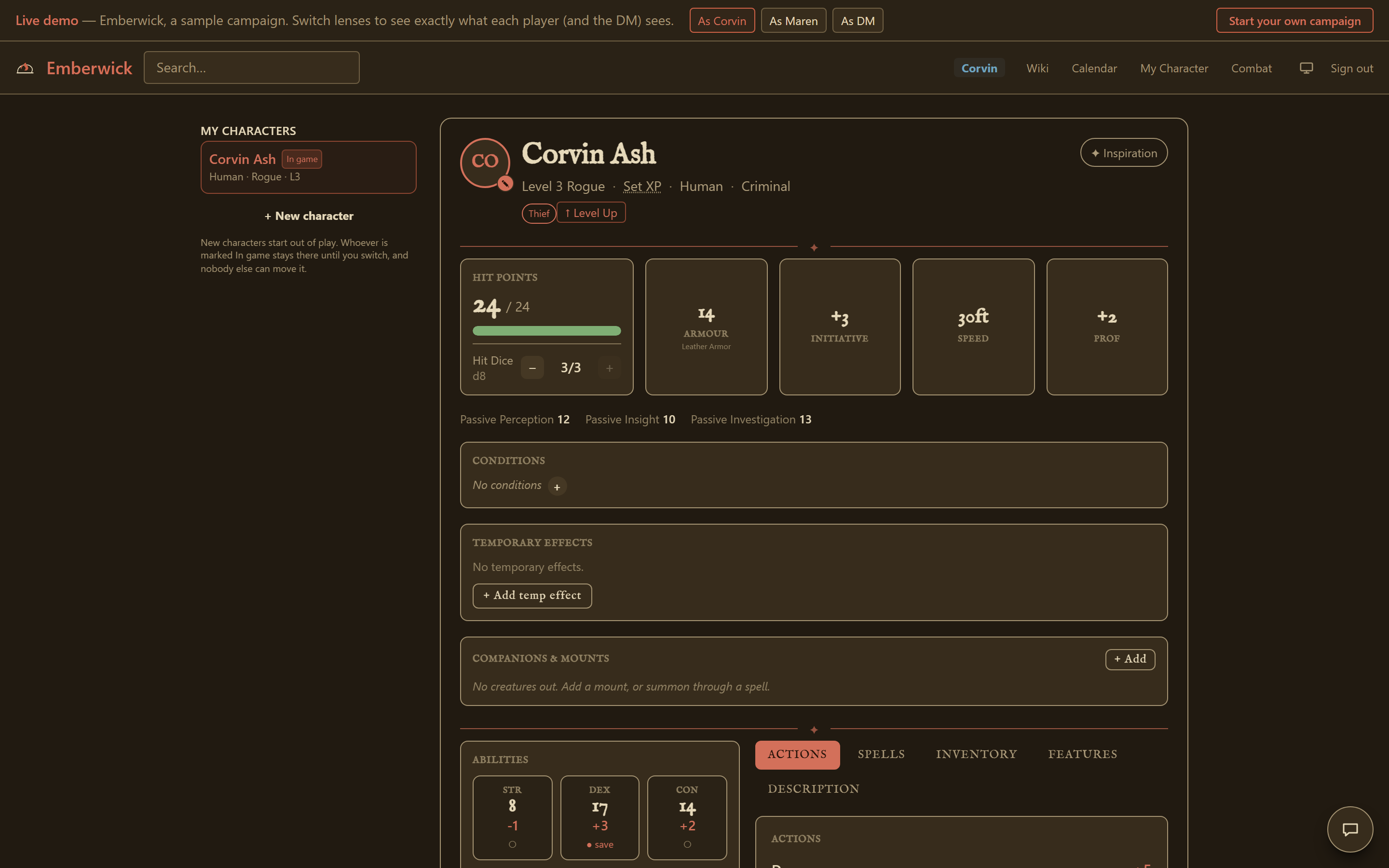
Once you are playing, the sheet keeps the numbers.
- Spell slots. Casting a spell from your sheet spends the right slot and resolves its damage or healing against the target's resistances and saves on its own.
- Conditions and item effects. Equip a magic item and its bonuses apply immediately, AC, an ability score, a resistance, whatever it grants, with nothing to re-enter by hand. Conditions and temporary effects clear themselves on schedule: end of a round, a rest, or an in-game day, whichever the effect actually calls for.
- Rests. Taking a rest is one action on your sheet that restores hit points, hit dice and spell slots and resets your limited-use features by their own rules.
- Attunement. An item that requires attunement gives you nothing until it is attuned, not merely equipped; the sheet tracks which of your attunement slots are spoken for.
- Encumbrance. Your carried weight shows as a load bar on the sheet. If your DM has turned on the encumbrance house rule, crossing a threshold applies the matching condition for you; if they haven't, the bar is still there to read.
- Ammunition. A weapon that uses arrows, bolts or the like tracks its own ammunition count as you fire it.
- Spell components. Whether your campaign enforces material components is a house rule your DM sets; where it applies, an equipped spellcasting focus or component pouch covers what a spell needs.
The sheet does not roll dice for you. You roll attacks, damage and saving throws at the table, by hand or however your group rolls, and type the result in. The sheet applies what you tell it and keeps track from there.
Levelling up
Levelling up uses a shorter guided screen off your own sheet. Hit points can be taken as the average, rolled and typed in, or set by your DM, with a floor so a level never nets zero. Where your class reaches an Ability Score Improvement, the screen lets you take the increase or, where your class and campaign allow it, a feat instead. It shows only the sections that actually apply at the level you just reached.
Private notes
Your character's own wiki page carries a note that stays visible to you and hidden even from your DM. Use it as your character's private journal. It has no length limit, and nothing on the DM's side can read it.
House Rules
Your campaign's wiki has a House Rules page. It lists what your DM has decided: which ability score method is in force, whether encumbrance and components are tracked, which optional rules are on, and any table rulings they wrote down. The settings part updates itself whenever your DM changes one.
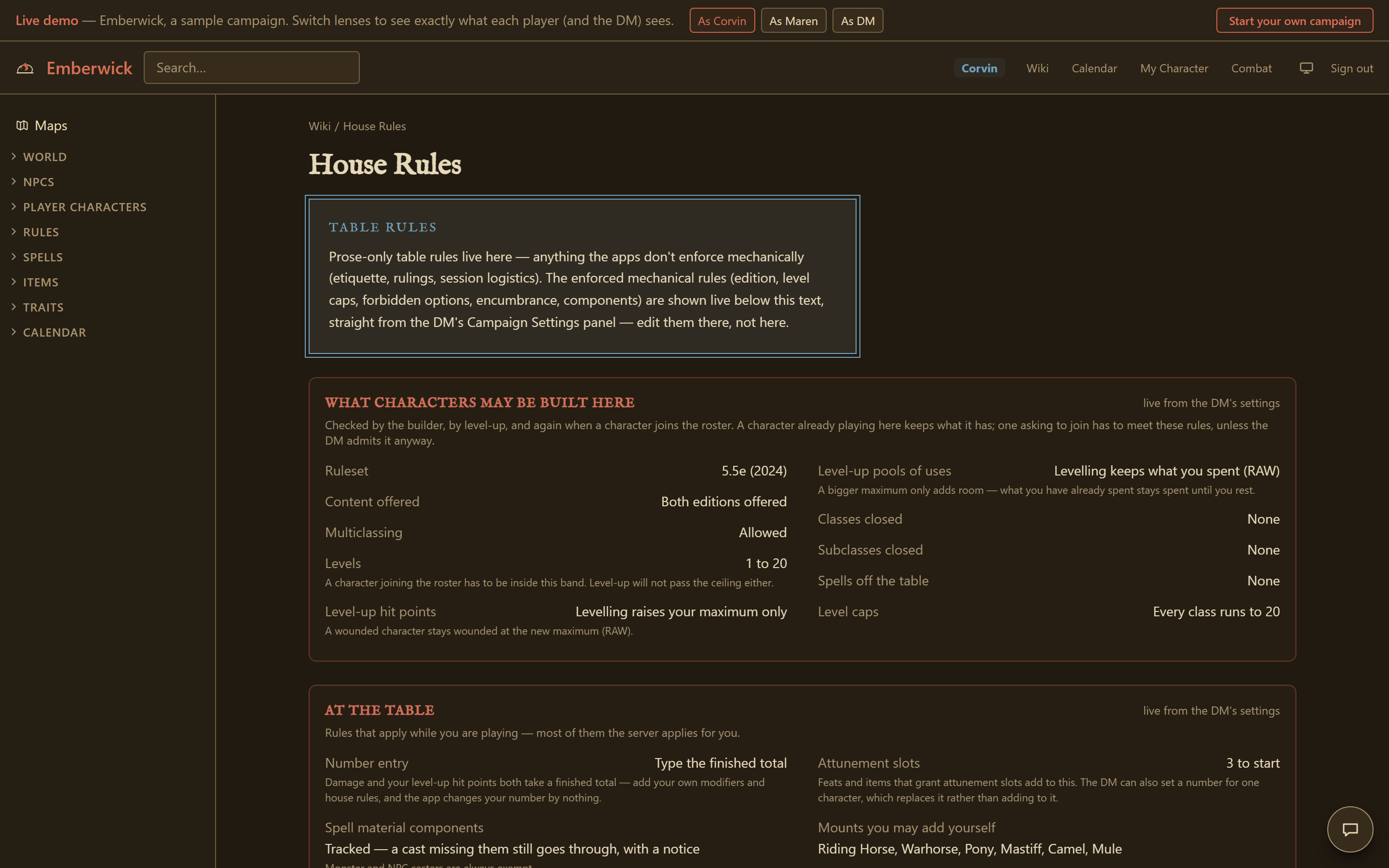
Where a specific rule on your sheet or in the tracker ties back to one of those decisions, it links straight to the page that explains it.
During combat
When your DM starts a fight, your own character card is yours: adjust your hit points, conditions, spell slots and death saves from it directly. If your DM opens a reaction window for something you can respond to, a timed prompt appears on your screen with your available reactions and a countdown; pass, or declare one, before it closes. Monster cards show only a name and their place in initiative, nothing about their hit points or stats, unless your DM turns on a coarse health indicator for them. The combat tracker guide covers the rest of what is happening on your DM's side of the same fight.
Your sheet also tracks a pool of hero points, if your campaign uses them, which you can spend from the same card.
The public demo's recorded fight has a player lens for Corvin and Maren, so you can see a character card update live from a player's seat.