The wiki and the web editor
Your campaign is a wiki: linked pages you read and edit straight in the browser. Every block on every page carries its own visibility, so a single page can show you the whole picture and show a player only the part you have revealed to them.
Writing a page
You write and edit everything from the page you are looking at. Open a page, click Edit, and work on it directly: change a block's title or text, set who can see it, drag blocks to reorder them, and add or remove them as you go. It runs in the same browser tab, with nothing else to install.
If two tabs or two devices try to save the same page at once, you get a warning instead of a silent overwrite, and you choose which version to keep.
The visibility tiers
You set a tier on each block, straight from the block itself. Four cover an ordinary page:
- Public. Everyone at the table sees it, you included.
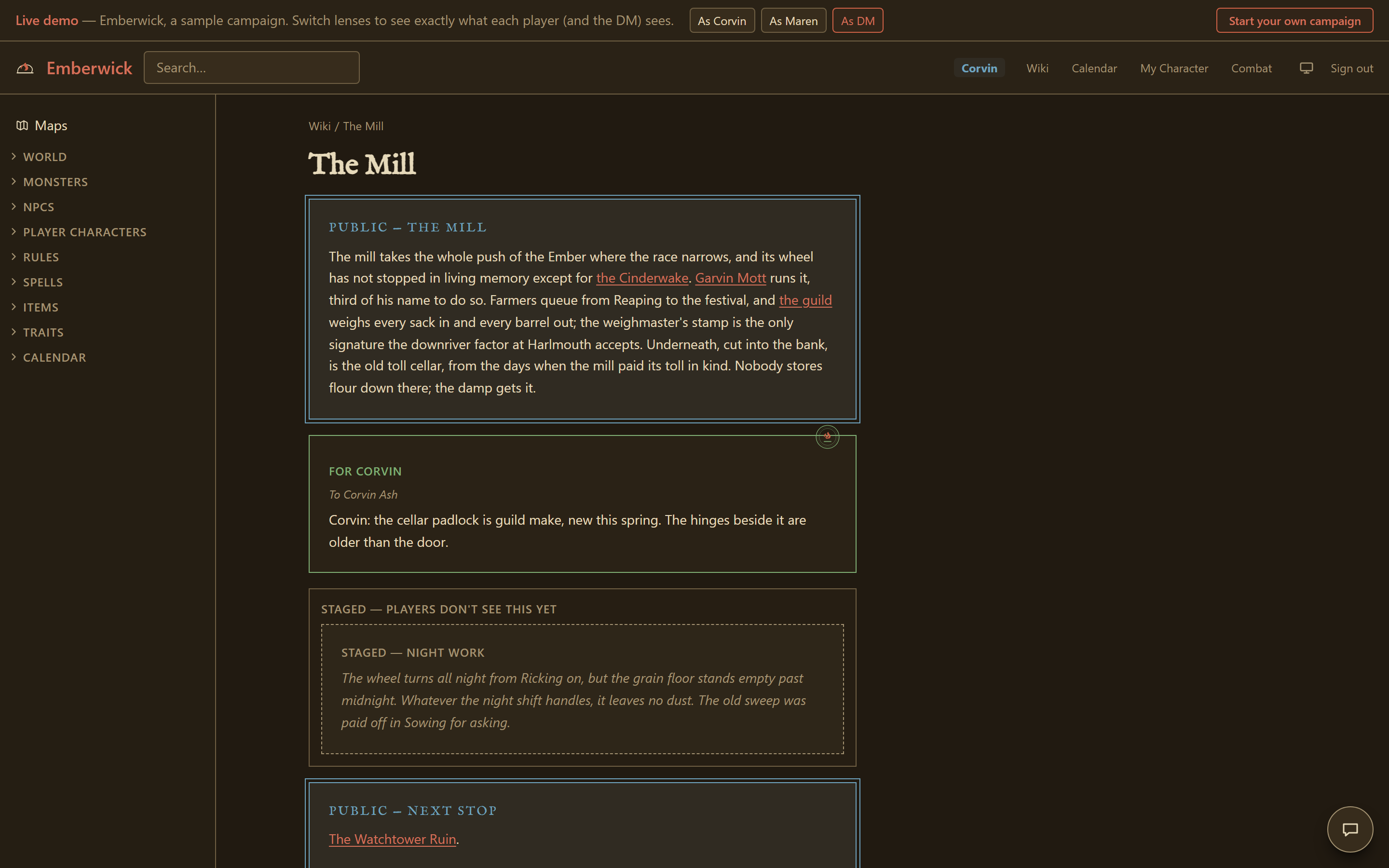
- Staged. Only you see it, for now. New blocks start here, so a draft never reaches a player by accident. Move it to Public, or to named players, when you are ready.
- DM only. Only you see it, and it is meant to stay that way: the working notes you never plan to reveal as written.
- Players. You choose who sees it, from one player to the whole party. Good for something one character learns that the others have not. This is the "Players…" option in the editor, which opens a picker for the names.
A character's own page carries a fifth tier the others do not have:
- Private to the player. On a character's own page, a note here stays visible to that one player and is hidden even from you, the DM. It is where a player keeps their character's private journal, and nothing you do can read it.
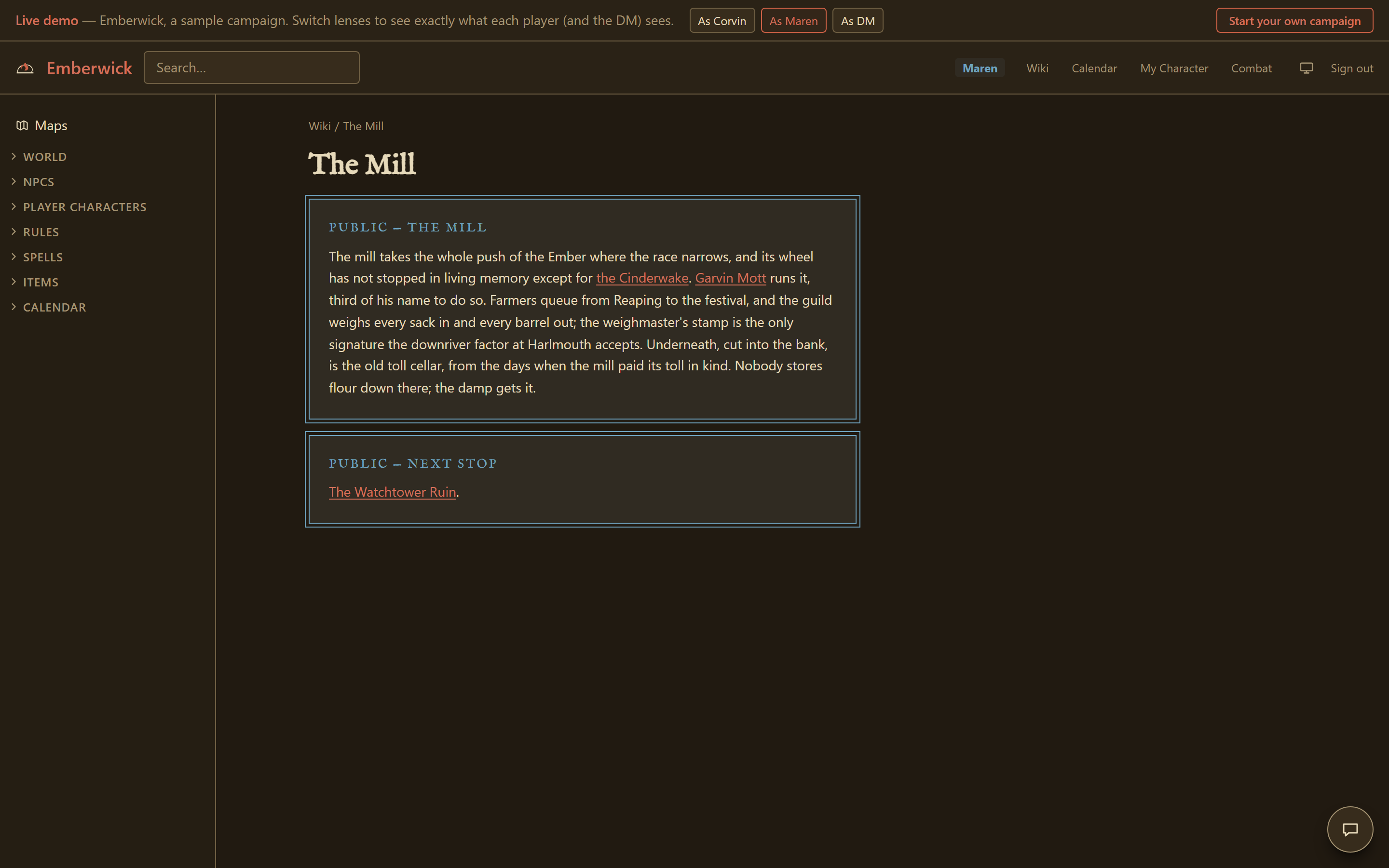
A page with nothing on it revealed to a given player does not appear for them at all: the tiers hide whole pages as well as blocks, when nothing on the page clears for that reader.
Finding your way around
The sidebar mirrors your campaign's own folder structure and collapses at every level. Search sits in the header on every page and only ever returns what the signed-in reader is allowed to see, so a player's results never surface a page they could not otherwise reach. Hovering a link shows the target page's title before you click.
A couple of areas behave a little differently. The content library you have installed, and the character pages themselves, let you open and edit an existing page but not create a new one there by hand; those are handled through their own tools, the character builder and content packs.
How the wiki connects to the rest of the app
Most campaign wikis hide whole pages or keep one DM-only block. In Hearthmoot you address any paragraph to any single player, right in the text. The same pages also feed your character sheets, your encounters and your maps, so editing a page updates all of them. What you write stays yours, and you can take a full copy with you whenever you want, as the your data page explains.
The demo's tiered page shows this directly. Open The Mill as the DM to see all three tiers at once, then switch to a player lens: two of the three are no longer shown.