Maps, pins, and the table view
You upload an image, drop pins on it, and on game night you can put the whole thing on every player's screen at once. Underneath, a map is just a wiki page with one extra block of data attached.
Uploading and pinning
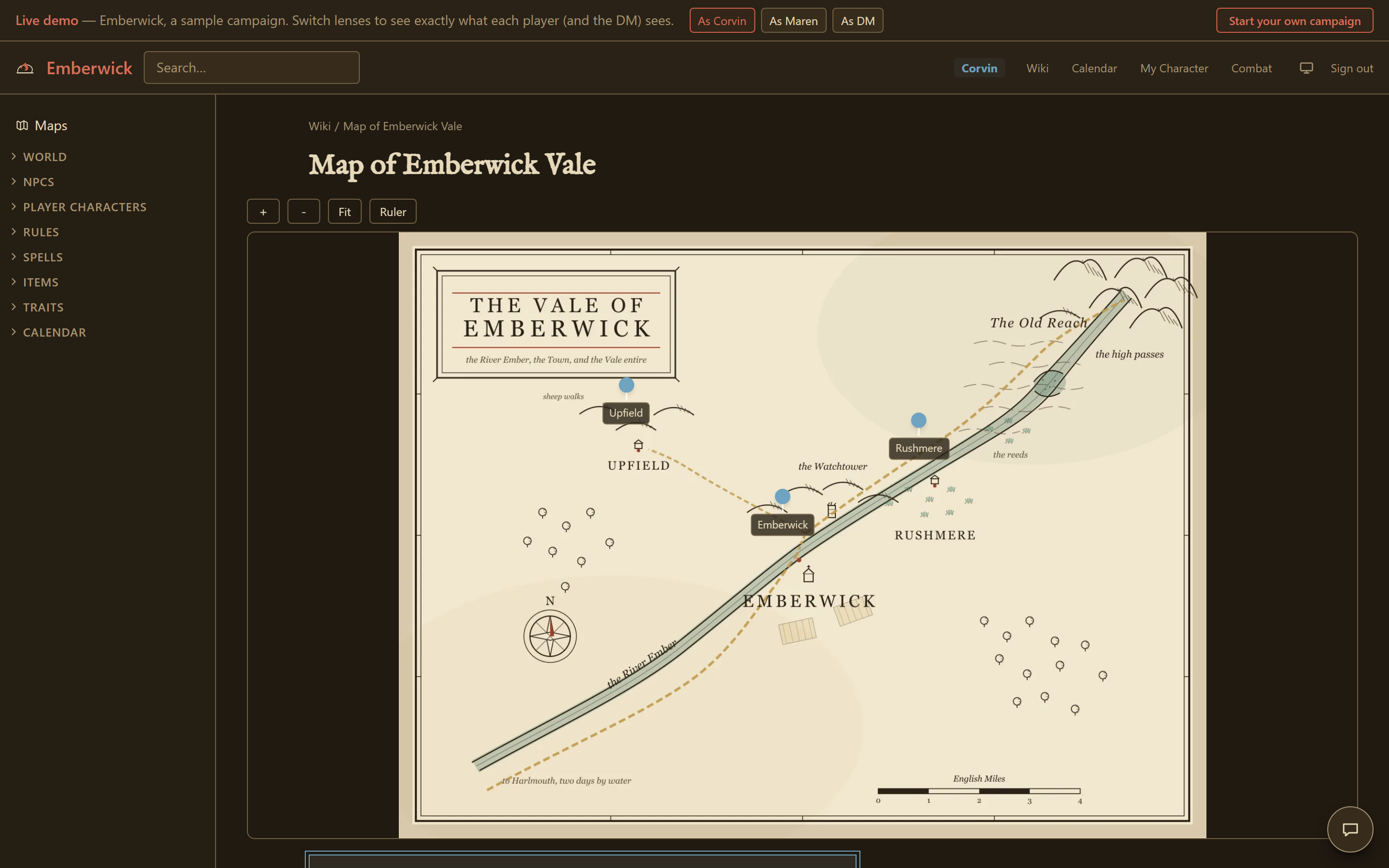
Upload an image up to 24 MB. It is optimized automatically, so you do not need to compress anything yourself first. Click anywhere on it to drop a pin, and drag a pin to reposition it later. Each pin carries a label, an icon (town, dungeon, point of interest, danger, quest, or a link to another map), and a visibility tier: the same public, addressed, staged, and DM-only tiers the rest of the wiki uses, so a pin only a DM should see behaves exactly like a DM-only block anywhere else. A pin that links to another map page opens it on click, which is how a region map and a dungeon map inside it stay connected.
Reading a map
Every map supports pan and zoom, and a ruler that converts pixel distance to the map's own scale. Where a map uses several pin categories, a viewer can filter which ones are showing.
On the night
During a live session, you can present a map to everyone connected at once. It appears on every player's screen with a small notice that you put it there. From that point, anyone at the table can click a spot to flash a ping, labelled with who sent it, which is a faster way to point at "here" than describing it. You can also mark drawn regions as revealed or not, so the party only sees the parts of the map you have opened up to them so far.
Fog paces a reveal. It does not hide anything from a determined look at the underlying image, so a secret worth protecting belongs on its own DM-only page.
The Vale map in the public demo has pins, zoom, and the ruler live, worth a look before you upload your own.